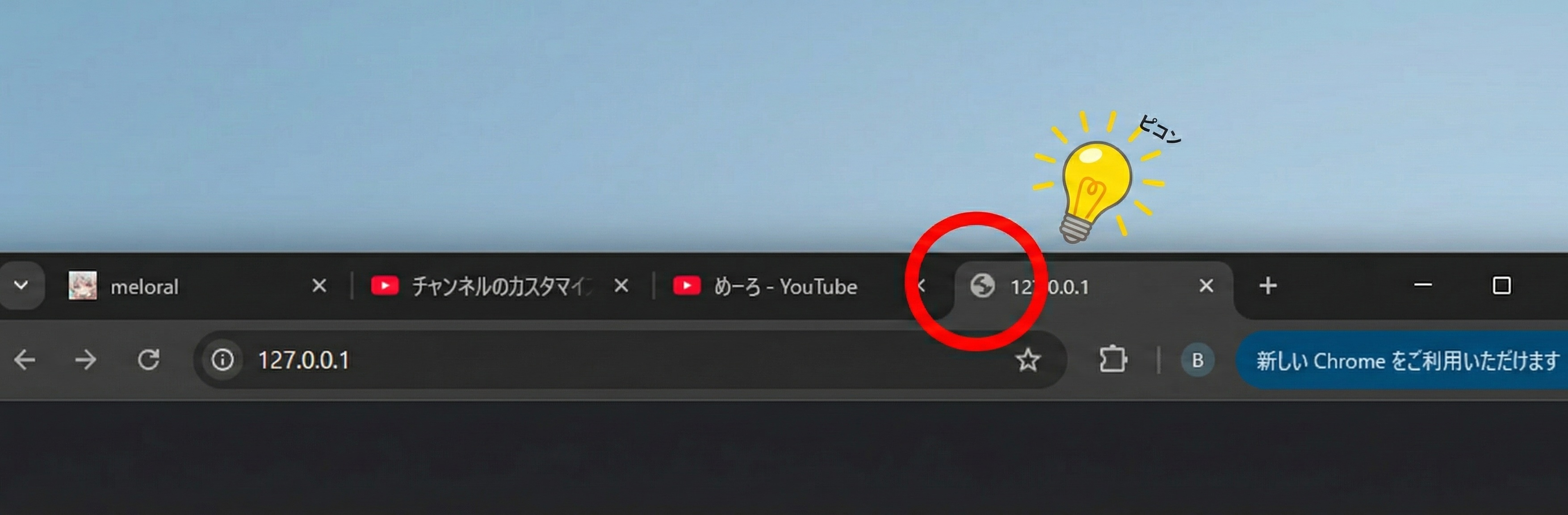
Check the “tabs” at the top of your browser right now.

What kind of image is displayed next to your website’s title? If you see the gray “Earth icon (🌎)”, then this article is for you.
This means that your website appears to be “unfinished.”
Why You Shouldn’t Leave It as the “Earth Icon”
In many browsers, if a website hasn’t set its own icon (favicon), the default Earth icon is displayed. Leaving this state has three major disadvantages.
1. Losing User Trust
Imagine a store in the real world. Would you want to enter a shop that has nothing written on its sign or has a temporary notice? A favicon is the “signboard” of your website on the internet. The default icon gives visitors the impression that:
- “This site is not maintained”
- “It might be an unfinished site”
- “Is the security okay?”
Attention to detail is directly related to reliability.
2. Getting Buried Among Browser Tabs
Users often open a large number of tabs while researching. As the width of the tabs decreases, the page titles get hidden, and only the icons are displayed.
What happens if your site has the “Earth icon” at that moment? It becomes indistinguishable from other unset sites. Users may not be able to return to your site and will simply close the tab.
With a unique icon, users can instantly find your site.
3. Missing Branding Opportunities on Smartphones
Many modern users browse websites on their smartphones. When users “add your site to their home screen,” the favicon functions as an “app icon.”
If the favicon is not set, you cannot display a beautiful brand logo on the home screen. This is equivalent to throwing away a significant opportunity for repeat visits.
What is a Favicon?
A favicon is short for “Favorite Icon.” It is not just a decoration; it is an important ID card that symbolizes your brand.
- Size: Typically used in various sizes from 16x16 pixels to 512x512 pixels.
- Format: While the
.icoformat used to be mainstream,.pngand.svgare now widely supported.
How to Solve the Problem Right Now
The solution is very simple. Let’s start “graduating from the Earth” today.
- Prepare a Logo Image: Create a square image. A simple design that is easily recognizable even at a small size is recommended.
- Create a Favicon: Using an online generator tool, you can create files in the required sizes all at once.
- Upload to Your Site:
For WordPress (common cases like Classic Themes)
- Access
https://your-site-url/wp-admin/and log in to the WordPress admin panel. - Open “Appearance” > “Customize” from the left menu.
- Click on the menu labeled “Site Identity” or “Site Information.”
- In the “Site Icon” section at the bottom of the screen, click “Select Site Icon,” and upload the square image of 512x512px or larger that you prepared earlier (or select from the media library).
- Check the preview and click the “Publish” button in the upper right corner to save.
This will ensure that your original icon is displayed in the browser tab and on the smartphone home screen.
- Access
For WordPress 6.5 and later or Block Themes
Depending on the theme, the “Customize” menu may not be displayed. In that case,- Open “Settings” > “General” from the left menu in the admin panel.
- From the “Site Icon” section below “Site Title” and “Tagline,” upload the same square image and click “Save Changes” at the bottom of the screen.
Conclusion: Details Create the Brand
There is a saying, “God is in the details.” It is very unfortunate that even if the content of the article is excellent, a single icon can lead to being judged as “amateurish.”
Graduate from the “Earth” of your site right now and raise your own “flag.” Just by doing that, your website will transform into a more professional media outlet.